
Fullscreen
Doppelkopf Club works on all kinds of devices. Pretty much wherever you’ve got access to a browser. This also means that players with all kinds of preferences and devices play the game. Some are using their laptops, others a tablet, most of you use your smartphone. There’s a ton of different devices to support to ensure all players, no matter the device, have a great experience. Some cases haven’t worked all that well in the past: Players who used small devices in landscape orientation often struggled with display or functional issues.
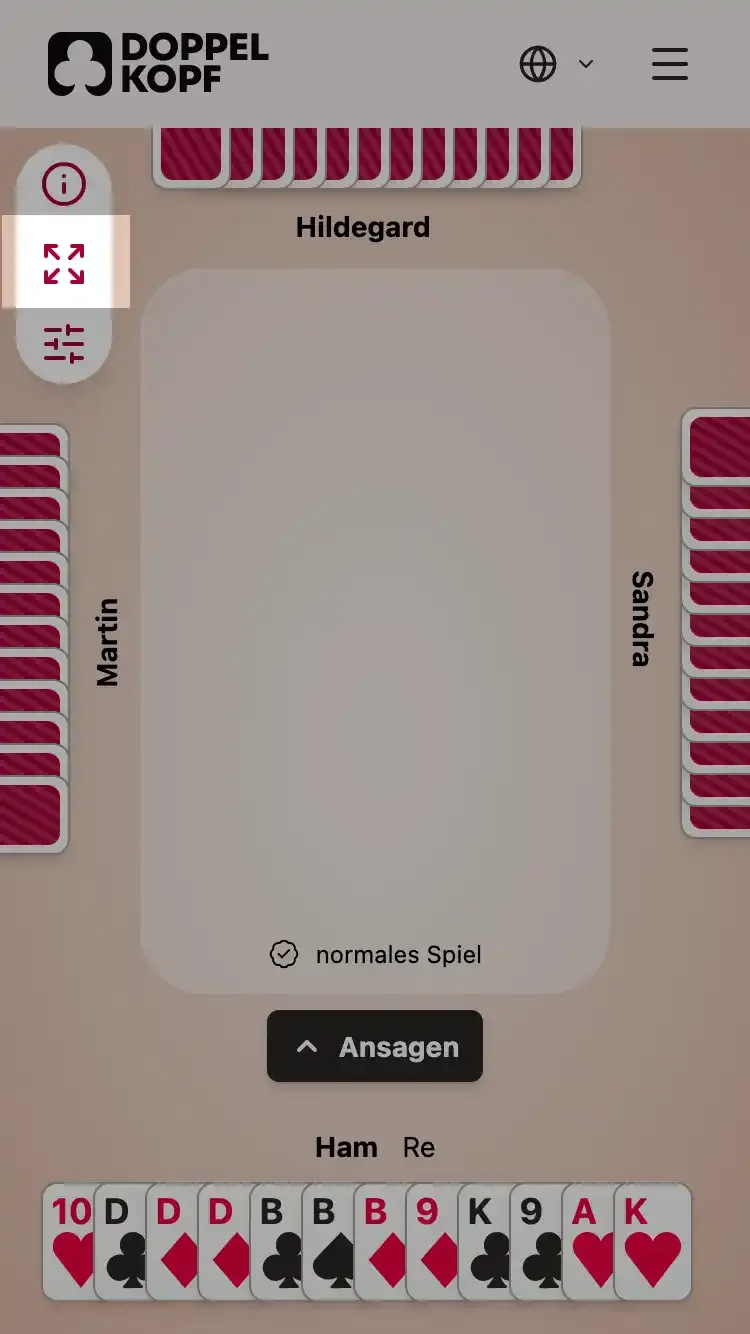
Today there’s a small update for all of you: From now on you can switch to fullscreen mode at any point in time playing the game to increase the display of the actual game. This is particularly useful when you’re using smartphones and other small devices and want to hide elements that distract from the actual game, like the browser search bar or the Doppelkopf Club navigation.
You can find the fullscreen button in the top left corner of the screen. Hit Escape or tap the same button again to leave fullscreen mode.
The experience on devices in landscape orientation still isn’t perfect (you still need to scroll a bit to see everything that’s going on in the game) but with fullscreen mode it should work much better than it did before.
Enjoy!
– Ham